
Settings
Shortcuts
Remap every keyboard shortcut and bind multiple triggers per action
Every Dictato shortcut is remappable. Each action can have one or many shortcuts bound to it, so you can set both Fn and ⌃⌘R for push-to-talk and either one works. Shortcuts live in Settings → Shortcuts.
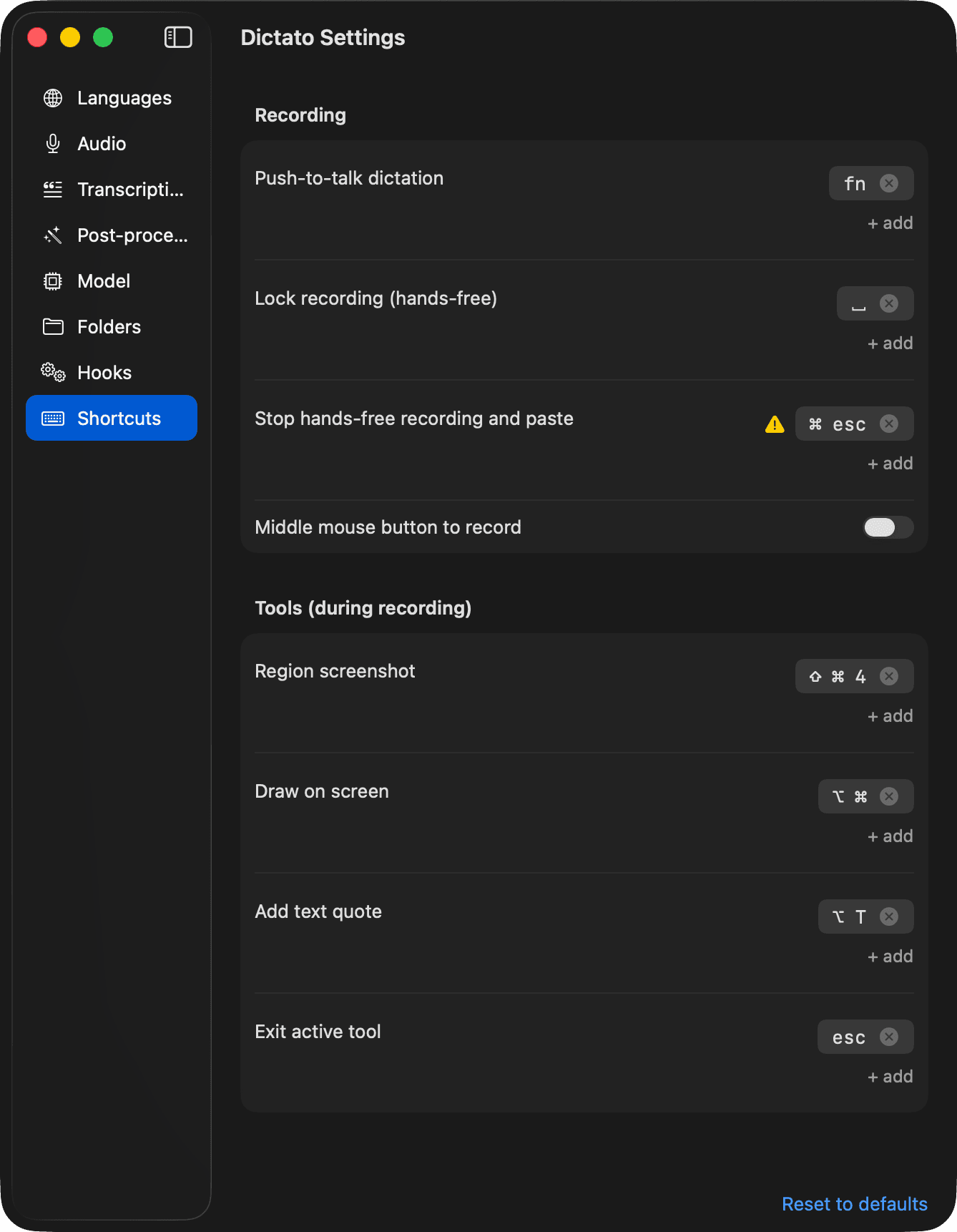
Recording a shortcut
- Click a shortcut field (it comes to life with an accent border).
- Press the keys you want. The preview mirrors whatever's held — press Shift, see
⇧; add Cmd, see⇧ ⌘. - A key-chord commits the moment you press a non-modifier key (e.g. ⇧ ⌘ L commits
⇧ ⌘ Lon theLkeydown). - A modifier-only shortcut (like Fn alone, or ⌃ ⌥) commits when you release the last modifier.
- Click + add under an existing shortcut to bind a second trigger to the same action.
- Click the x on a chip to remove that shortcut. If you remove the last one, the field collapses back to an empty recorder — no trigger is bound until you add one.
To cancel without recording anything, press Esc with no modifiers held, or click outside the field.
What you can bind
- Any key on its own:
L,F5,Return. - Any key with modifiers:
⌃ ⌘ R,⇧ ⌥ F7. - Modifiers alone:
Fn,⌘ ⌥,⌃ ⌘.
Shortcuts with extra modifiers held at the time of press won't match unless those modifiers are part of the binding — it's exact-match, not subset-match.
Hold vs tap
Some actions are naturally "hold" actions:
- Push-to-talk — recording starts on key-down, stops on key-up.
- Draw on screen — drawing is active while held, captured on release.
These work with any shortcut you bind — hold ⌃ ⌘ R or hold Fn, same behavior. The rest of the actions fire once per press.
Conflicts with macOS
If a shortcut you bound is already registered as a macOS system shortcut (Spotlight, Mission Control, etc.), a yellow warning triangle appears next to the chip. macOS will usually intercept the keys before Dictato sees them — click the triangle for the full explanation and fix it in System Settings → Keyboard → Keyboard Shortcuts, or pick a different combination.
Dictato can only detect system shortcuts. Collisions with other apps (Raycast, Alfred, Karabiner, etc.) are invisible — if a shortcut mysteriously doesn't fire, try a different one.
Middle mouse button
At the bottom of the Recording section there's a toggle to start and stop hands-free recording with a middle-click. Off by default. This lives with the shortcuts because it's just another trigger for the same action.
Reset to defaults
The Reset to defaults link below the panel restores the factory bindings across every action. Nothing else is touched.
Defaults
| Action | Default |
|---|---|
| Push-to-talk dictation | Hold Fn |
| Lock recording (hands-free) | Space (while push-to-talk is active) |
| Stop hands-free recording and paste | ⌘ Esc |
| Region screenshot | ⇧ ⌘ 4 |
| Draw on screen | Hold ⌥ ⌘ |
| Add text quote | ⌥ T |
| Exit active tool | Esc |
Storage
Shortcuts are saved to shortcuts.json in your config folder. See Configuration files for the format.